
A NAS can turn a crowded phone, scattered desktop folders, and several external drives into one organized home for important files. I focus on three practical needs here: building a high-capacity network storage system, creating a private backup hub for family data, and organizing physical storage around it. The right setup depends less on maximum capacity than on bay count, drive type, network speed, and how much expansion room the enclosure offers.
A Fast Comparison Of The Options

Seagate IronWolf 10TB NAS HDD ST10000VN0008

UGREEN DXP4800 Plus 4-Bay NAS, Pentium Gold 8505 5-Core, 8GB DDR5
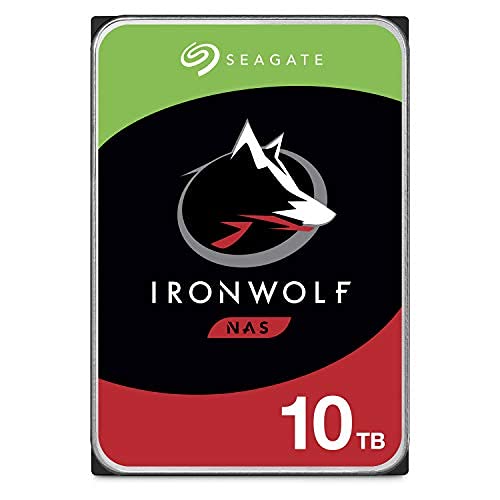
Seagate IronWolf 10TB NAS HDD ST10000VN0008, 3.5-Inch SATA

UGREEN NAS DH2300 2-Bay for Personal Users

UGREEN DXP2800 2-Bay NAS, N100, 8GB DDR5

OlarHike 144QT Storage Bins with Lids, 3 Pack
Taking A Closer Look At The Options
A 10TB internal drive gives a multi-user NAS enough room for large media libraries and work archives without forcing an immediate expansion. The IronWolf ST10000VN0008 uses CMR, a recording method that supports predictable write behavior in RAID, and its 7200 RPM spindle suits sustained multi-drive workloads.
Compared with the UGREEN enclosures in this list, this is a drive rather than a complete network appliance. Its Rescue Plan is the distinguishing addition: covered drive failures may qualify for a recovery attempt, with recovered data returned on separate external or cloud-based storage, subject to the plan’s terms.
What Earns Its Place
- Ten terabytes provides substantial capacity for family photos, video collections, and project files.
- CMR recording is well suited to RAID arrays, where several drives handle frequent writes.
- The 256MB cache can smooth bursts of file access across a busy NAS.
- Rescue Plan coverage adds a recovery route beyond replacing a failed hard drive.
Trade Offs
- This internal drive needs a compatible 3.5-inch bay, SATA data connection, and power.
- Rescue eligibility excludes enterprise and multi-drive devices, so an installed NAS may not qualify.
Technical Sheet
Made For Multi-Bay Systems
I favor this drive for households or small offices running a NAS with several populated bays and substantial shared storage needs.
Consider Something Else When
The UGREEN NAS DH2300 2-Bay for Personal Users is a better fit for a first-time setup needing a complete enclosure rather than an additional hard disk.
A four-bay enclosure gives a growing household room to use mirrored storage today and add capacity later. The DXP4800 Plus pairs that expansion path with a five-core Pentium Gold 8505 processor, 8GB of DDR5 memory, and a 10GbE connection for demanding file access.
That processing headroom makes more sense for a small office running containers, virtual machines, and shared media than for a simple photo library. The enclosure includes 128GB of internal SSD space, while two M.2 NVMe slots create a route for faster application or cache storage.
Practical Pluses
- Four bays balance usable capacity with a manageable expansion path.
- The 10GbE port suits shared 4K media and large project files on a wired network.
- Two M.2 NVMe slots add fast internal storage without occupying a drive bay.
- Docker and virtual-machine support gives the enclosure a broader small-office role.
Practical Considerations
- The enclosure is diskless, so suitable hard drives and installation are separate requirements.
- A 2.5GbE port offers a practical fallback for networks without 10GbE switching.
Quick Facts
Built For Small Offices
I recommend this enclosure for studios and small offices needing four bays, fast networking, and room for virtualized services.
Where A Sibling Pick Shines
The UGREEN NAS DXP2800 2-Bay NAS, N100, 8GB DDR5 is more compact for an advanced household that does not need four-bay expansion.
This IronWolf drive targets the core job of a NAS: holding substantial shared data in an enclosure that may serve several users. Its 10TB capacity offers an even split between a large media collection and work documents, while CMR and a 256MB cache support the repeated reads common in active libraries.
Unlike the Rescue-equipped version earlier in this list, this listing emphasizes drive monitoring through IronWolf Health Management and a specified mean time between failures of one million hours. It is designed for NAS enclosures with up to eight bays, making it a natural capacity component for a larger shared-storage build.
Strengths Worth Knowing
- Ten terabytes reduces the need for frequent drive expansion.
- CMR recording favors consistent performance in RAID configurations.
- The 256MB cache helps absorb bursts of file requests.
- IronWolf Health Management supports drive-health monitoring in a compatible setup.
- Its eight-bay design target fits larger multi-user NAS enclosures.
Points To Note
- A hard drive alone does not provide network access, centralized backups, or a file-sharing interface.
- 7200 RPM operation can add more vibration and acoustic output than a lower-speed NAS drive.
- RAID reduces certain failure risks but remains separate from a complete backup plan.
Built With Capacity In Mind
I favor this drive for a multi-bay NAS built around large shared archives, active media libraries, or expanding business data.
Another Choice May Suit
The UGREEN DXP4800 Plus 4-Bay NAS is a better fit for someone who needs the enclosure, networking, and storage expansion managed as one system.
A two-bay NAS is a practical starting point for someone moving photos, videos, and documents off a phone and several external drives. The DH2300 is positioned for beginners and personal use, with phone backup as a central task rather than a secondary feature.
Compared with the DXP2800, the appeal is less about processing power and more about a straightforward entry point. I would still check the installed drive configuration and available storage options before purchase, since the shared goal is a private home network rather than scattered device storage.
Useful Highlights
- Two bays support mirrored storage or a future capacity increase.
- Phone backup suits families replacing manual photo transfers.
- The personal-use focus suits a first centralized home library.
Small Caveats
- Two bays offer less expansion room than the four-bay DXP4800 Plus.
- The included Rescue coverage applies to eligible new SSDs purchased within the stated 30-day window, not automatically to every NAS component.
Key Attributes
Made For First-Time Owners
I recommend the DH2300 for individuals and families creating a private backup hub without needing advanced virtualization.
Reach For A Different Pick When
The UGREEN DXP2800 2-Bay NAS, N100, 8GB DDR5 suits advanced home users who also need faster networking and NVMe expansion.
The DXP2800 fills the space between a basic two-bay appliance and a four-bay office system. Its Intel N100 quad-core processor and 8GB of DDR5 memory provide more headroom for applications, centralized media, backups, and remote access than a simple personal storage box.
Two M.2 NVMe slots let me add dedicated fast storage for applications or cache workloads, while 2.5GbE networking is a meaningful improvement over 1GbE for large files. The 4K HDMI output also makes the enclosure relevant to a living-room media setup, although the drive configuration remains diskless.
Bright Spots
- The N100 processor supports a more capable home NAS workload.
- 2.5GbE reduces bottlenecks when moving large media files.
- Two NVMe slots add fast storage without using drive bays.
- HDMI output supports a local media interface.
Where It May Fall Short
- Only two SATA bays limit expansion compared with the DXP4800 Plus.
- The diskless format requires compatible drives and installation before storage is available.
Feature Snapshot
Built With Remote Work In Mind
I recommend this model for advanced households managing backups, shared media, and remote file access from one enclosure.
Swap It Out When
The UGREEN DXP4800 Plus 4-Bay NAS suits a small office that values 10GbE networking, four bays, and more intensive application support.
Not every storage problem belongs on a network. The OlarHike bins handle physical clutter such as clothing, bedding, books, snacks, and camping equipment, keeping bulky items away from desks and shelves already occupied by a NAS or computer equipment.
The 144QT label and three-pack format point toward high-volume organization, while the folding construction can reclaim space when a bin is not needed. Each container includes a lid, and the stackable shape helps create a more structured closet, dorm room, or home office.
Notable Gains
- Large capacity suits bulky household and office items.
- Included lids keep stored contents contained.
- Foldable construction reduces space taken by empty bins.
- The three-pack provides a consistent set for larger rooms.
Things To Weigh
- This is physical organization rather than network-attached digital storage.
- Large bins need enough floor or shelf space when assembled and stacked.
Whose Shelf It Belongs On
I recommend these bins for dorm residents, closets, offices, and RV storage where bulky items need a dedicated home.
Not Your Match When
The UGREEN NAS DH2300 2-Bay for Personal Users is the better choice for private phone backups and access to digital files across devices.
Build The Right Storage Setup Step By Step
Start With The Device Boundary
A NAS enclosure supplies networking, a file system, applications, and drive management, while a hard disk supplies the actual capacity. A physical storage bin only organizes objects and provides no network access. I begin by separating those roles so a large-capacity drive does not get mistaken for a complete backup system.
Match Capacity To Expansion Plans
Two bays can mirror two drives, which protects against a single disk failure while leaving a straightforward path for more storage. Four bays suit households expecting larger media archives or small offices running more applications. A diskless enclosure also requires compatible SATA drives before useful capacity is available.
Check The Connection Before The Box Arrives
A 2.5GbE network moves large files more efficiently than 1GbE, while 10GbE becomes useful for sustained transfers between capable machines and storage. I also check whether the router or switch supports the selected speed. NVMe slots add internal performance, yet the NAS still needs a wired network path for access from phones and laptops.
Two Decisions That Prevent Storage Regret
Mistakes Worth Dodging
The most common mistake is counting drive capacity while ignoring backup copies. RAID, which combines drives into a resilient storage arrangement, does not replace a separate copy of important files. I also avoid buying diskless enclosures without checking bay size, SATA compatibility, and the number of drives required for the intended layout.
What The Higher Tier Buys
A higher tier usually adds faster networking, stronger processing, more memory, additional bays, or NVMe expansion. Those features matter for virtual machines, large shared media libraries, and busy multi-user access. A simple personal archive gains less from them, so paying more for processing power can be unnecessary.
Frequently Asked Questions For Nas Storage Solutions
Do I need both a NAS enclosure and hard drives?
Yes, a diskless NAS requires compatible hard drives before it can store files. A preconfigured enclosure may already contain drives, so I check the drive configuration carefully before ordering.
Is a two-bay NAS enough for home use?
A two-bay NAS is enough for many homes using mirrored storage for documents, photos, and video. Expansion room remains limited compared with a four-bay model, especially for large media collections.
What is the difference between CMR and SMR?
CMR records tracks independently, which generally suits repeated writes and RAID arrays. SMR overlaps tracks to increase density, making it less suitable for workloads that repeatedly rewrite large amounts of data.
Does 10GbE make a practical difference?
Yes, for sustained transfers of large files between compatible devices and a NAS with matching network hardware. For light use over a slower network, 2.5GbE may already provide a practical balance.
Are OlarHike storage bins network-attached storage?
No, they organize physical objects such as clothing, books, and bedding. A NAS stores digital data and provides network access, which is a separate function.
Final Verdict
The UGREEN DXP4800 Plus offers the most balanced expansion path for a small office, while the DXP2800 brings capable performance to a two-bay home setup. For a first personal NAS, the DH2300 keeps the starting point focused. The Seagate IronWolf drives supply serious capacity, and the OlarHike bins handle the physical clutter that a digital NAS cannot. Matching each component to its actual job makes the resulting setup far easier to manage.